How to Type Faster: What WPM Really Measures and How to Improve It
If you write for a living — and if you send emails, you do — you probably spend three or four hours a day at a keyboard. Most people type somewhere around 40 words per minute, hunting across the keyboard with two to four fingers, eyes flicking down between glances at the screen. Get to 70 WPM and you save roughly an hour every working week. Over a career that's months of your life, and yet almost nobody deliberately practises the skill they use more than any other. This is the honest guide: what typing speed actually measures, what counts as good, why accuracy matters more than raw pace, whether exotic keyboard layouts are worth it (mostly no), and exactly how to improve — starting with a two-minute baseline on our free Typing Speed Test.
What "words per minute" really counts
There's no such thing as a word in a typing test — which sounds like a riddle until you learn the convention. Since real words vary from "a" to "antidisestablishmentarianism," typing speed uses a standardized word of five characters, spaces included. Type 350 characters in a minute and you typed 70 words, regardless of what those characters were. This is why every credible test reports the same numbers: they all divide characters by five.
Two figures follow from that. Gross WPM is your raw speed, mistakes and all. Net WPM subtracts a penalty for errors, and it's the only number that means anything, because typing is not a race to produce characters — it's a race to produce correct characters. A typist hitting 90 gross WPM at 88% accuracy is slower, in every way that matters, than one hitting 70 at 99%: every error must be found, deleted and retyped, and each of those costs far more than the keystroke that caused it. Accuracy isn't the opposite of speed. Accuracy is speed, viewed over a whole paragraph rather than a single second.
What counts as fast?
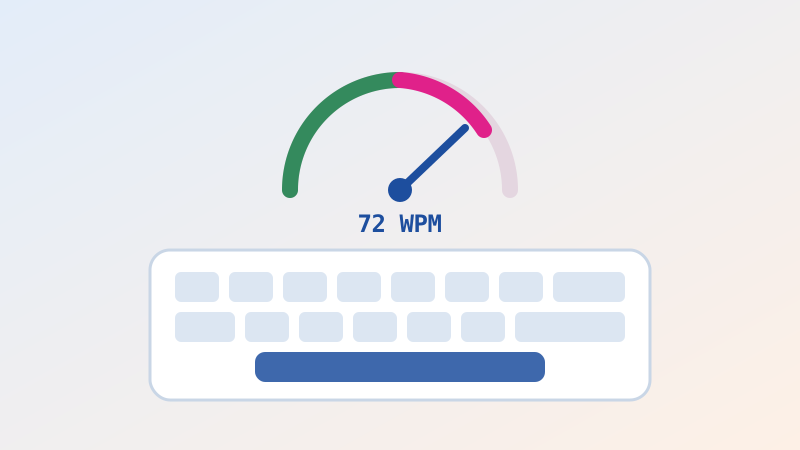
Some honest benchmarks, because most people have no idea where they stand. Around 20–30 WPM is typical hunt-and-peck typing — the two-finger method, eyes on the keys. 40 WPM is roughly the global average for adults and is often the minimum in office job descriptions. 50–60 WPM is a competent touch typist and comfortably above average. 70–80 WPM is genuinely fast; you're now typing at close to the speed of comfortable speech, and thought becomes the bottleneck rather than fingers. 90–110 WPM is professional transcription territory. Beyond that you're into the realm of dedicated competitors, where the world's fastest sustain speeds most people find difficult to believe.
Two things to note. First, these are English prose figures — typing code, numbers or a language with heavy diacritics is dramatically slower, and comparing across them is meaningless. Second, the returns flatten fast. Going from 30 to 60 WPM will transform your working life. Going from 90 to 100 will not.
Touch typing: the one thing that actually matters
Every technique in this article is a footnote to a single idea: stop looking at the keyboard. Touch typing means your fingers know where the keys are, so your eyes never leave the screen. It isn't about finger gymnastics; it's about moving the location of the keys from your slow, deliberate visual attention into your fast, automatic motor memory. That transfer is the whole game, and it's why hunt-and-peck typists plateau permanently around 40 WPM no matter how many years they practise — they are re-solving a lookup problem thousands of times a day.
The mechanics are simple enough to describe in a sentence. Your fingers rest on the home row — left hand on A, S, D, F and right hand on J, K, L, semicolon — with index fingers finding the small raised bumps on F and J so you can locate the position without looking. Each finger is responsible for a column of keys above and below its home key, and after every keystroke the finger returns home. Thumbs handle the space bar. That's the entire system, and it has been essentially unchanged for over a century.
Here's the part nobody warns you about: learning it will make you slower for about two weeks. You'll drop from your comfortable 45 WPM to a humiliating 20, and every instinct will scream at you to go back to the method that works. Almost everyone who abandons touch typing quits during this valley. Push through it and you emerge, typically within a month of light practice, faster than you ever were — with the enormous bonus that your eyes stay on the screen, which means you catch errors as you make them.
How to actually get faster
Measure first, honestly. Take a test cold, without warming up, and write down both your speed and your accuracy. That's your baseline — take one on the Typing Speed Test before reading further, because the number you remember from school is probably wrong in both directions.
Practise little and often. Fifteen focused minutes daily comprehensively beats two hours on Sunday. You are building motor memory, and motor memory consolidates during sleep — spacing is the mechanism, not the inconvenience.
Slow down to speed up. The counterintuitive core of deliberate practice: type at roughly 80% of your maximum with near-perfect accuracy, rather than flailing at 100% and generating errors. You are training your fingers to make correct movements automatic; practising errors makes errors automatic. Speed follows accuracy, never the reverse.
Never look down. Not once. Cover your hands with a cloth if you must. Every glance rebuilds the dependency you're trying to demolish.
Attack your specific weaknesses. Nearly everyone is disproportionately slow on the same things: numbers, punctuation, capital letters requiring the opposite shift key, and the letters under the weaker ring and little fingers (Q, Z, P, semicolon). Ten minutes drilling your worst keys pays more than an hour of comfortable prose.
Fix your posture. Wrists floating rather than resting, elbows near 90 degrees, screen at eye level, shoulders down. This isn't wellness boilerplate — collapsed wrists cause both errors and, over years, genuine injury.
Type things you care about. Drills build technique; real writing builds endurance and rhythm. Do both.
Do keyboards and layouts matter?
Two questions come up constantly, and they deserve straight answers rather than enthusiasm.
Dvorak, Colemak and the alternative layouts. The famous story is that QWERTY was designed to slow typists down to prevent typewriter jams. It's a nice story and largely a myth — the layout emerged from a tangle of mechanical and commercial constraints. Alternative layouts genuinely do place common letters under stronger fingers and reduce finger travel, and dedicated users report real comfort benefits. But the honest evidence on speed gains is thin, the relearning cost is measured in months of reduced output, and you will be slow on every computer that isn't yours. For the overwhelming majority of people, learning to touch type properly on QWERTY delivers 95% of the available benefit for 5% of the pain. Switch layouts because you find it interesting or because your hands hurt — not because you expect to double your WPM.
Mechanical keyboards. A good keyboard with consistent, tactile key travel is genuinely more pleasant, and pleasant tools get used more. It may modestly help accuracy by giving clearer feedback about whether a key registered. It will not, by itself, make you fast. A trained touch typist is quick on a laptop's flat keys; an untrained one is slow on a $400 board. Buy the keyboard because you enjoy it — that's reason enough — but buy the practice first.
Why this compounds beyond typing
The reason fast typing feels transformative isn't the minutes saved. It's that when transcription becomes automatic, the friction between thinking and writing disappears. Hunt-and-peck typists compose in fragments, because part of their attention is permanently occupied locating the letter K. Fluent typists compose in sentences, and the sentence they were holding in working memory arrives on screen before it evaporates. That's why writers, programmers and students who cross the touch-typing threshold often report not just faster output but better output — they can finally hold an idea and render it simultaneously.
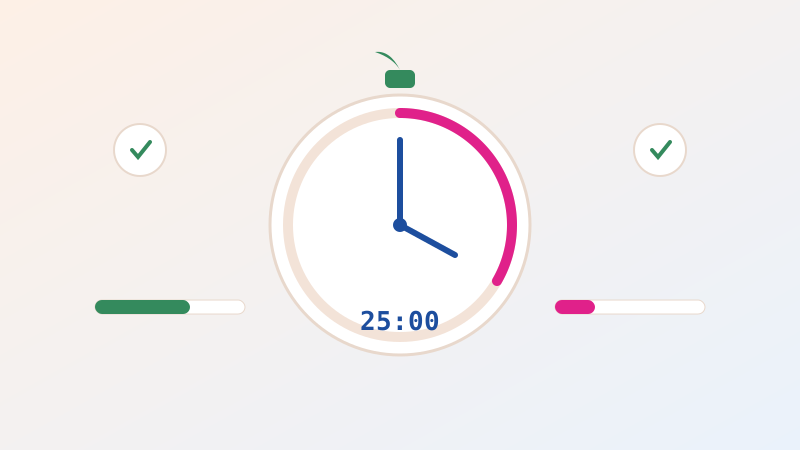
It pairs naturally with other structure. A focused practice block using our Pomodoro Timer — one 25-minute session, three or four times a week — is more than enough to cross from 40 to 70 WPM within a couple of months. Track the streak with the Habit Tracker and retest fortnightly rather than daily; progress in motor skills is real but too slow to see day to day, and watching too closely is how people conclude, wrongly, that they aren't improving.
The history hiding under your fingers
The layout you use every day is a fossil. When Christopher Latham Sholes commercialized the typewriter in the 1870s, the arrangement of letters went through several revisions driven by a mix of mechanical necessity, the demands of telegraph operators transcribing Morse, and the sales instincts of the Remington company that eventually manufactured it. The popular claim that QWERTY exists purely to slow typists down is a simplification of a messier truth: some separation of frequently-paired letters did reduce the jamming of adjacent typebars, but commercial history, training-school inertia and sheer network effects did most of the work in making it universal. By the time better arrangements were proposed, tens of thousands of trained typists and hundreds of thousands of machines had made switching economically unthinkable.
That fossil is worth appreciating rather than resenting, because it explains why the returns on layout-switching are so modest and the returns on technique are so large. QWERTY is not optimal, but it is not the constraint. The constraint is that most people never learned to use any layout properly. A trained typist on a "bad" layout comfortably outperforms an untrained one on a "good" layout, every time — and that single fact should redirect roughly all of your effort.
A four-week plan that actually works
Week one: surrender the speed. Learn the home row and never look down. Type slowly, deliberately, accurately, fifteen minutes a day. Your WPM will crater. This is correct and temporary; you are dismantling a habit before building one.
Week two: extend the reach. Add the rows above and below, one finger's column at a time. Keep accuracy above 97% even if it means typing at a crawl. Most people quit here — knowing that in advance is most of the cure.
Week three: build rhythm. Speed begins returning without being chased. Introduce capitals, punctuation and numbers, which nearly everyone neglects and which nearly everyone is worst at. Type real emails using the new technique, resisting the urge to revert when you're in a hurry.
Week four: measure, then push. Retest cold. You will likely be at or above your old speed with better accuracy and, crucially, with your eyes on the screen. Only now is it useful to consciously reach for pace: type at the edge of your control for short bursts, then return to comfortable accuracy. Retest fortnightly thereafter and expect steady, unspectacular gains for months.
Quick FAQ
What is a good typing speed? Above 40 WPM is average, 60 is solid, 70–80 is fast, and anything past 90 is exceptional for ordinary work. Accuracy above 97% matters more than any of these.
How long does it take to learn touch typing? Expect two to three weeks of feeling slower and clumsy, and roughly one to three months of light daily practice to surpass your old hunt-and-peck speed comfortably. Almost everyone who persists succeeds; the failure mode is quitting in week two.
Does typing speed decline with age? Far less than people fear. Motor learning slows somewhat but does not stop, and adults routinely learn touch typing in their fifties and sixties. Consistency beats youth.
Is it worth learning if I mostly write code? Yes, but temper expectations: code is punctuation-dense and thought-limited, so raw WPM matters less. The real payoff is never looking down, which keeps your attention on the logic rather than the keys.
Why is my test speed lower than my real-world speed? Tests use unfamiliar text you must read as you type, adding cognitive load. Typing your own thoughts is usually faster. This is why you should compare test scores only to your own previous test scores.
Typing is the rare skill where a few focused weeks pay dividends for the next forty years, and where almost everyone is leaving hours on the table every single month. You don't need a new keyboard, a new layout, or a course. You need to know where you're starting, stop looking at your hands, and practise a little more often than never. Take two minutes and get your honest baseline on the free Typing Speed Test — then take it again in a fortnight, and watch what a quarter of an hour a day actually does.

Related Articles