QR Codes Explained: How Those Little Squares Actually Work
You see them everywhere now — on restaurant tables, boarding passes, parcel labels, concert tickets, gym equipment, even gravestones. The QR code went from an obscure factory-floor invention to one of the most scanned pieces of design on Earth, and somewhere along the way most of us stopped asking the obvious question: what actually is that little square of static, and how does a phone camera turn it into a website in under a second? This post is the friendly, complete answer — how QR codes work under the hood, why they survive being scratched and smudged, what you should (and shouldn't) put in one, and how to make your own in about thirty seconds with our free QR Code Generator, no account or design skills required.
A barcode that grew up
The traditional barcode — the striped kind on your groceries — is one-dimensional. It encodes a short string of digits in the widths of vertical lines, read left to right, and that's all it can hold: a dozen or so characters, enough for a product number and nothing more. In 1994, an engineer at a Japanese auto-parts company called Denso Wave needed to track components carrying far more information than stripes could fit, and the answer was to go two-dimensional. By arranging dark and light squares in a grid — reading data both across and down — the new "Quick Response" code could store hundreds of times more than a barcode in the same physical space. The design was deliberately released without enforcing patent fees, which is a huge part of why it conquered the world: anyone could generate one, anyone could read one, and no one owed anybody a licence.
What's actually inside the square
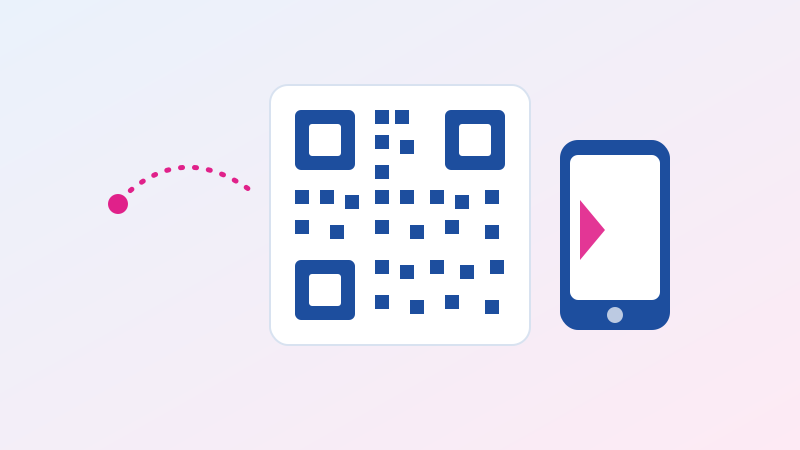
Look closely at any QR code and you'll notice it isn't random noise; it has anatomy. The three large squares in the corners are finder patterns — they scream "I am a QR code, and this is which way up I go" to the camera, which is why you can scan a code upside down or at an angle and it still works instantly. The smaller square (or squares) toward the fourth corner are alignment patterns, helping the reader correct for tilt and curvature — a code wrapped around a coffee cup still reads because of these. Faint lines of alternating modules connecting the corners are timing patterns, telling the scanner the size of the grid. Everything else — the sea of small squares that looks like static — is your actual data, encoded in binary: dark square for one, light square for zero, laid out in a zigzag pattern with a layer of mathematics on top.
The magic trick: why damaged codes still scan
Here's the part that genuinely surprises people. You can scratch a QR code, splash coffee on it, stick a logo right over its middle — and it usually still scans perfectly. That isn't luck; it's error correction, and it's the cleverest thing in the whole design. QR codes use Reed–Solomon codes, the same family of mathematics that lets a scratched CD keep playing. When your code is generated, redundant recovery data is woven in alongside the real content, so the scanner can mathematically reconstruct missing or damaged regions. QR codes offer four levels of this protection: Level L tolerates about 7% damage, M about 15%, Q about 25%, and H about 30%. That's exactly why brands can stamp a logo in the middle of their codes — they generate at a high correction level and deliberately sacrifice some of the redundancy for the artwork. The trade-off is density: more error correction means more modules for the same content, so the code gets visually busier.
What a QR code can hold (it's more than links)
Most codes in the wild contain a simple website address, but the format is far more flexible than that. A QR code can carry plain text up to a few thousand characters, a phone number that opens your dialer ready to call, a pre-written SMS, an email address with subject line filled in, Wi-Fi network credentials that connect a guest's phone without anyone reading out a password, calendar events, geographic coordinates that open in a map app, and vCards — full digital contact cards that add someone to your phone book in one scan. The scanner app decides what to do based on how the content is formatted: text beginning with "http" becomes a tappable link, text formatted as a vCard triggers "add contact," and so on. Under the hood it's all just characters; the intelligence is in the interpretation.
Static vs dynamic: the distinction that costs money
Every code you make with a generator like ours is a static QR code: the content is baked permanently into the pattern itself. Scan it in ten years and it will say exactly what it says today — nothing expires, nothing phones home, and no third party sits between your code and its destination. Dynamic QR codes, heavily marketed by subscription services, work differently: the code actually contains a short redirect link owned by the service, which then forwards scanners to your real destination. That indirection lets you change the destination later and count scans — genuinely useful for big marketing campaigns — but it comes with real costs people don't notice until too late: if you stop paying the subscription, every printed code you've ever distributed dies, and every scan of your code is tracked through someone else's server. For menus, business cards, event posters, Wi-Fi sharing and almost all everyday uses, a free static code is the better, safer, permanent choice.
Making a good one: size, contrast and testing
Generating a code takes seconds; generating one that scans reliably in the real world takes three small rules. First, respect the quiet zone — the empty margin around the code. Scanners need that breathing room to find the edges, so never crop tight against the pattern or print it flush against busy artwork. Second, keep the contrast high and the polarity right: dark modules on a light background is the standard scanners are built for; an inverted or pastel-on-pastel code will fail on many phones. Third, size it for the scanning distance. A useful rule of thumb is that a code should be at least one-tenth as wide as the distance it will be scanned from — a code on a poster meant to be scanned from a metre away should be at least 10cm wide. And always, always test the printed result with a couple of different phones before you print five hundred flyers; the thirty seconds of testing has saved many people a very expensive reprint.
The security question nobody should skip
A QR code is just a container, and like any container it can hold something unpleasant. "Quishing" — phishing by QR code — works by sticking a malicious code over a legitimate one, on a parking meter, a menu, or a fake delivery notice, sending scanners to a counterfeit payment or login page. The defenses are refreshingly simple: modern phones show you the destination URL before opening it, so read it — if a parking payment code leads to a misspelled or unrelated domain, walk away. Be extra cautious with codes that arrive on stickers over other stickers, and with any scanned page that immediately asks for passwords or card details. None of this makes QR codes dangerous in themselves — a code you generate for your own menu or Wi-Fi is exactly as safe as the content you put in it — but a healthy glance at the URL bar is the habit worth keeping.
Thirty seconds to your own code
Making one is genuinely the easy part. Open our QR Code Generator, paste your link or text, pick a size, and download the PNG — everything happens in your browser, nothing is uploaded anywhere, and the code is a permanent static one that will work forever without a subscription. If you're building signage or print materials, you might pair it with the Image Resizer to scale the download precisely, or the Favicon Generator if the same brand asset needs to live on your website. And for retail-style numeric codes, we also have a classic Barcode Generator for CODE39 stripes.
Where QR codes quietly run your life already
Once you start noticing, the little squares are carrying a surprising share of daily logistics. Boarding passes and train tickets are QR codes so gates can read them faster and more reliably than magnetic strips ever managed. Parcel tracking labels use them so a courier's scanner can log a package in milliseconds. Restaurant menus moved to them for hygiene reasons and stayed for economics — updating a PDF is free, reprinting laminated menus isn't. Payments across much of Asia run on them: in many countries, scanning a merchant's code is the default way money changes hands, handling trillions of dollars a year. Event check-ins, museum audio guides, warranty registrations, "rate your driver" prompts, package-insert manuals that used to be forty printed pages — all quietly migrated into squares. The pattern in every case is identical: a QR code is the cheapest possible bridge between a physical object and a digital destination, and the world is full of physical objects that want one.
QR codes vs. the alternatives (and when not to use one)
It's worth knowing what the square is competing with, because it isn't always the right tool. Against a printed URL, the QR code wins whenever the address is long or fiddly — nobody is typing a sixty-character link with parameters off a poster — but a short, memorable domain on a billboard can actually beat a code, because people see billboards while driving. Against NFC tags (the tap-to-read chips), QR is dramatically cheaper — printing ink versus embedded hardware — and works at any distance a camera can see, while NFC requires physical proximity but wins on sheer tap-speed convenience. Against a plain barcode, it's not really a competition: barcodes remain perfect for the one job of numeric product IDs at tills, which is why your groceries still wear stripes. The honest rule of thumb: use a QR code when a human with a phone camera needs to reach digital content from the physical world; use something else when the "scanner" is a machine, the distance is a car window, or the content is five characters long.
Quick FAQ
Do QR codes expire? Static codes — the kind our generator makes — never expire. The content lives in the pattern itself. Only "dynamic" codes from subscription services stop working, and that happens when the subscription lapses, not because of the code.
How much data fits in one? Up to roughly 4,000 alphanumeric characters at the lowest error-correction level, though codes get dense and harder to scan as they fill. For anything long, encode a link to the content instead of the content itself.
Can a QR code itself contain a virus? No — a code is inert data, not a program. The risk is only ever where it sends you, which is why glancing at the previewed URL before tapping is the one habit that matters.
Can I put a logo in the middle? Yes, if the code is generated with high error correction and the logo covers well under 30% of the pattern. Test it on multiple phones afterwards.
The little square earned its place on every table and ticket honestly: it's free, open, astonishingly robust, and it does one job perfectly. Now that you know what's happening inside it, go make one — your next menu, gig poster, or guest Wi-Fi card is thirty seconds away with the free QR Code Generator.

Related Articles